

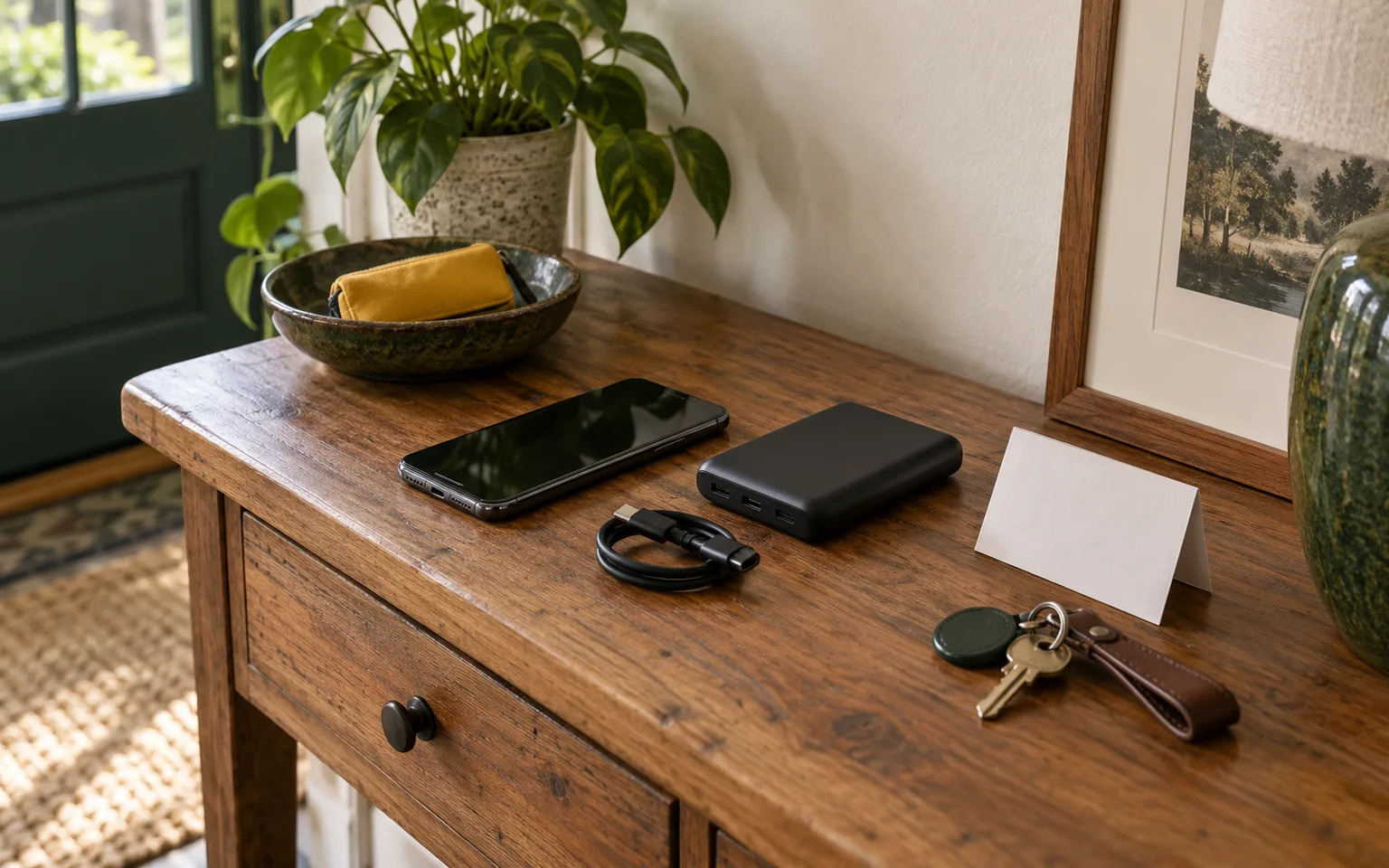
When household power is unavailable, begin by conserving the charge already in each phone and deciding which uses matter most. Keep the screen off when it is not needed, reduce background activity, and use a low-power setting if the phone provides one. Reserve charge for alerts, essential calls or texts, navigation, and contact with people who need to know your status. Then use an approved backup battery, vehicle connection, or generator only within its exact instructions. None of these options promises a set runtime, number of charges, or working network.
Decide what the phone is for
A phone can serve many purposes, but an outage plan needs priorities. Ask each person in the household which tasks must remain possible. An alert from local emergency management, a call about medication, a text to a caregiver, and a map for leaving the area may take priority over video, games, social feeds, or routine browsing. Write those priorities down so a tired person does not have to decide from scratch.
Start with the charge that is already in the phone. Keep the screen dark between tasks, close activity that is not needed, and avoid repeatedly checking for a signal. A phone may use more power while it searches for service, and a weak or congested network can still prevent a call or message even when the battery has charge. Turn off features you do not need, if your phone's instructions allow it. Temperature, network conditions, settings, and use affect results, so these actions do not promise a particular battery life.
If the outage is expected, charge phones before power ends while ordinary household charging is available. Keep cables with the devices they fit, and label them by household member or purpose. A short label can say “caregiver calls,” “medical device contact,” or “family communication.” This is useful when several cables and phones are together in a dark room.
Your wider household power-outage plan can place communication beside water, food, medical needs, and household safety. The phone plan should fit that larger order rather than compete with it.
Choose a backup battery by its own instructions
A power bank can be useful when its model, cable, ports, and condition match the phone. Read the labels and manual for input, output, charging method, temperature, storage, and compatibility. A rating printed in milliamp-hours or watt-hours describes a measurement under specified conditions. It is not a promise of phone charge cycles or operating time. Another model with a similar number may perform differently.
Use the cable and charger arrangement allowed by the phone and power-bank maker. General lithium-ion safety advice from the U.S. Consumer Product Safety Commission says to use the supplied charger or a replacement from the original manufacturer and follow charging directions. That advice does not replace the exact instructions for your equipment.
Charge on a stable, dry, nonflammable surface with ventilation. Keep the battery away from bedding, paper, heat, water, and places where it can be crushed. If the instructions call for unplugging when full, do that. Do not leave a charging setup where children, pets, or a moving person can pull it down.
Make a small battery record. Write the model name, the approved cable, the storage direction, and the date you last checked it. Do not write a predicted number of phone charges unless the maker gives a condition-specific figure and you understand its limits. A simple statement such as “use only with the labeled cable, keep dry, inspect before use” is more useful than a confident estimate.
Stop when a battery looks unsafe
Do not charge or use a phone, power bank, cable, or adapter that is swollen, leaking, cracked, unusually hot, damaged, modified, or malfunctioning. Stop using a product covered by a recall. CPSC recall notices have described power banks and battery packs that could overheat and ignite, including the INIU power-bank recall and the Quad Lock battery-pack recall. Check the product identity, not just its shape.
If a lithium-ion device is hot, smoking, sparking, or burning, move people away and call emergency services when appropriate. Do not handle it casually or place it in ordinary trash. For a damaged or recalled item that is not actively burning, follow the recall notice, manufacturer instructions, and local household hazardous-waste or battery authority. A damaged or recalled lithium-ion product does not belong in ordinary trash or an ordinary battery drop box unless the responsible authority specifically says so.
The phone maker may give a stop-use instruction for a damaged phone battery. Apple, for example, tells users to discontinue use of a damaged iPhone because overheating or injury can result. Apply the same boundary through the instructions for your own brand and model. Do not try to flatten, puncture, open, tape, or repair a swollen battery at home.
Use a vehicle without sacrificing the vehicle
A vehicle USB port or 12-volt outlet may be a charging option when the vehicle, adapter, cable, and phone instructions permit the connection. Check the vehicle manual before using an adapter. Charging a phone does not show that the vehicle battery will remain able to start the engine. Fuel, weather, security, and the need to preserve transportation can change whether this is a reasonable choice.
Do not make idling a general charging plan. If the vehicle maker permits charging while the engine runs, keep the vehicle outdoors and away from exhaust. The CDC's power-outage guidance says never to leave a gasoline- or diesel-powered vehicle running in a garage or another enclosed or partially enclosed space. A carport, open garage door, doorway, or area beside a window can still allow carbon monoxide to collect.
Never sit in or place people near exhaust while charging. Keep the vehicle away from doors, windows, and vents. If weather or local conditions make outdoor operation unsafe, use another approved method or wait. The phone is not worth exposing a person or pet to carbon monoxide.
Treat a generator as an outdoor engine
A generator is not automatically a safe phone charger. Follow the generator manual, cord and charger instructions, and local fire guidance. Use a portable generator outdoors in a well-ventilated area away from all doors, windows, and vents. CDC and the U.S. Fire Administration advise keeping a generator at least 20 feet from those openings, with exhaust directed away from the building. Keep it dry, and do not use it in rain or wet areas when the instructions prohibit that condition.
Connect only the loads permitted by the generator and cord instructions. A phone charger may be a small load, but small does not remove the need for correct placement, grounding, moisture control, and ventilation. Never refuel a running or hot generator. Let it cool according to the manual, and keep fuel away from ignition sources.
Install or check a battery-powered or battery-backup carbon-monoxide detector in the home when a generator is in use, as CDC recommends. A detector supports the plan but does not make indoor or near-opening generator use safe. If anyone has headache, dizziness, weakness, nausea, chest pain, or confusion, move to fresh air and call emergency services. Do not reenter a space until responders or local instructions say it is safe.
For households that depend on powered medical equipment, refrigeration, or mobility devices, communication charging is only one part of the decision. List those loads and their instructions in power-dependent household needs. Give priority to the people and equipment whose interruption creates the greatest immediate risk.
Keep communication on paper too
FEMA recommends a communications plan and a paper copy for a power outage. Make one before the next disruption. Include household members' names, key phone numbers, a meeting place, local emergency-management and utility contacts, medical or caregiver contacts, and the official alert channel for your area. Add what each person should do if the main phone, carrier, or network is unavailable.
Protect private information. Store the paper list where the household can reach it, but do not leave sensitive numbers visible to visitors or in a vehicle. Keep a second copy with the person who may leave first, if that fits your household.
Write down directions that normally live in an app, such as a meeting address, a shelter or clinic location, and a landmark. Keep a paper map if travel may be part of the plan. Paper does not depend on a cable or battery, though it can become outdated. Review it when a phone number, address, caregiver, utility, or alert system changes.
Communication also depends on people agreeing what a message means. Decide who sends a check-in, when to switch from calls to texts, and where to meet if messages do not go through. Do not promise that any carrier or alert channel will work during every event. Keep more than one way to receive local instructions, according to what is available where you live.
The household can connect this work with A calm first week, which helps turn an interruption into small daily checks. A phone is easier to conserve when everyone knows what information matters and when to share it.
Complete the communication-power check
Before an outage, complete these three actions together:
- Name the priority phone uses. Write the calls, texts, alerts, maps, medical contacts, and household check-ins that come first. Turn off or limit nonessential use.
- Label and inspect the approved charging method. Record the exact cable, charger, vehicle connection, or generator arrangement allowed by its instructions. Keep damaged, recalled, wet, swollen, or hot lithium-ion equipment out of service.
- Put the paper plan where the household can reach it. Add key contacts, meeting points, official local alert sources, and the action to take if phones or networks fail.
This check does not predict a runtime. It gives each person a clear first decision and keeps safety limits beside the equipment they affect. Review it after a move, a new phone, a vehicle change, a recall notice, or a change in household needs.
Questions people ask
Can I leave my phone plugged into a power bank overnight?
Follow the phone and power-bank instructions about charging and unplugging. Charge on a dry, stable, nonflammable surface, and do not use equipment that is hot, swollen, damaged, recalled, or malfunctioning.
Will a fully charged phone work during an outage?
Not necessarily. Towers, local power, congestion, damage, weather, and carrier conditions affect calls, texts, data, and alerts. Keep paper contacts and a meeting plan in case the network does not respond.
Can I charge a phone from my car in a garage?
Do not run a gasoline- or diesel-powered vehicle in a garage or another enclosed or partially enclosed space. Carbon monoxide can collect even when a door is open. Use a permitted vehicle connection outdoors and keep people and pets away from exhaust.
Is a generator safe if it is only charging a phone?
Only when the generator, cord, charger, and phone instructions allow the connection and all placement, ventilation, moisture, grounding, and refueling rules are followed. Keep the generator outdoors and away from doors, windows, and vents, and never refuel it while running or hot.
How should I handle a recalled power bank?
Stop using it and follow the recall notice and manufacturer directions. Ask your local household hazardous-waste or battery authority about a damaged or recalled lithium-ion item, and do not place it in ordinary trash or an ordinary battery bin without specific permission.
The practical sequence is to preserve the charge you have, reserve it for agreed household needs, use only an approved charging arrangement, keep combustion engines outdoors, and maintain a paper communication plan. Those choices leave room for changing networks, weather, equipment condition, and local instructions without relying on a promise that no device can make.